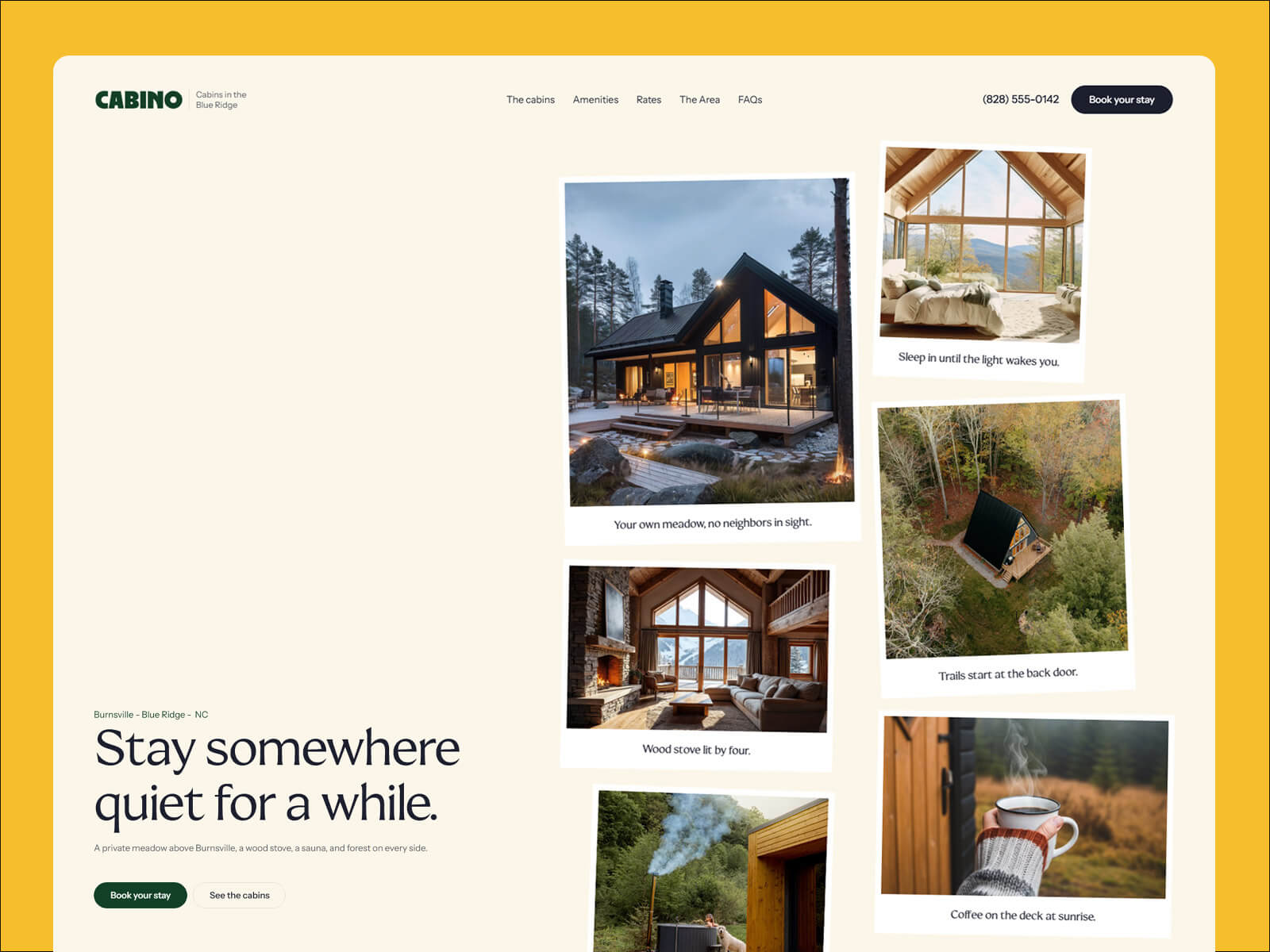
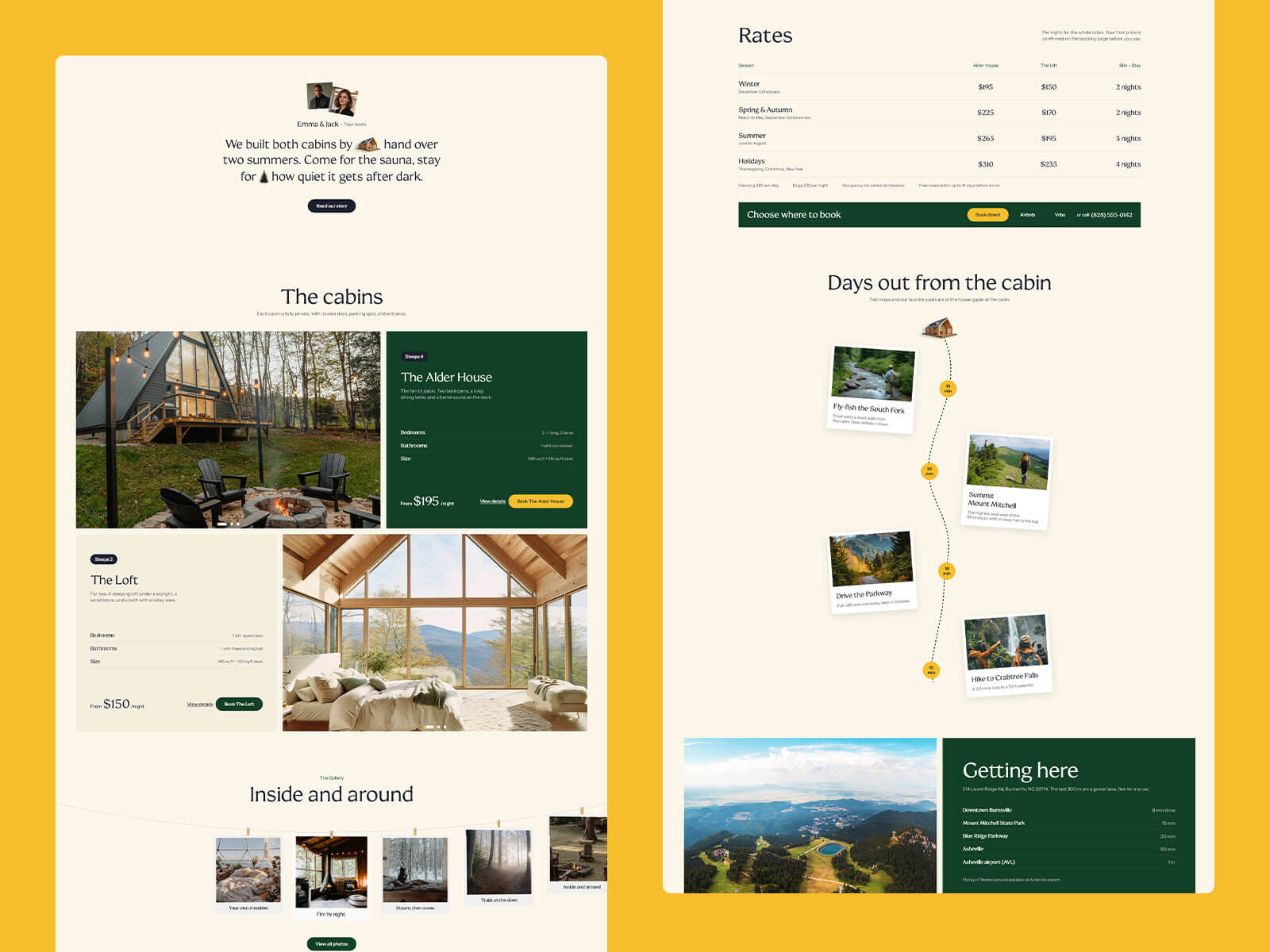
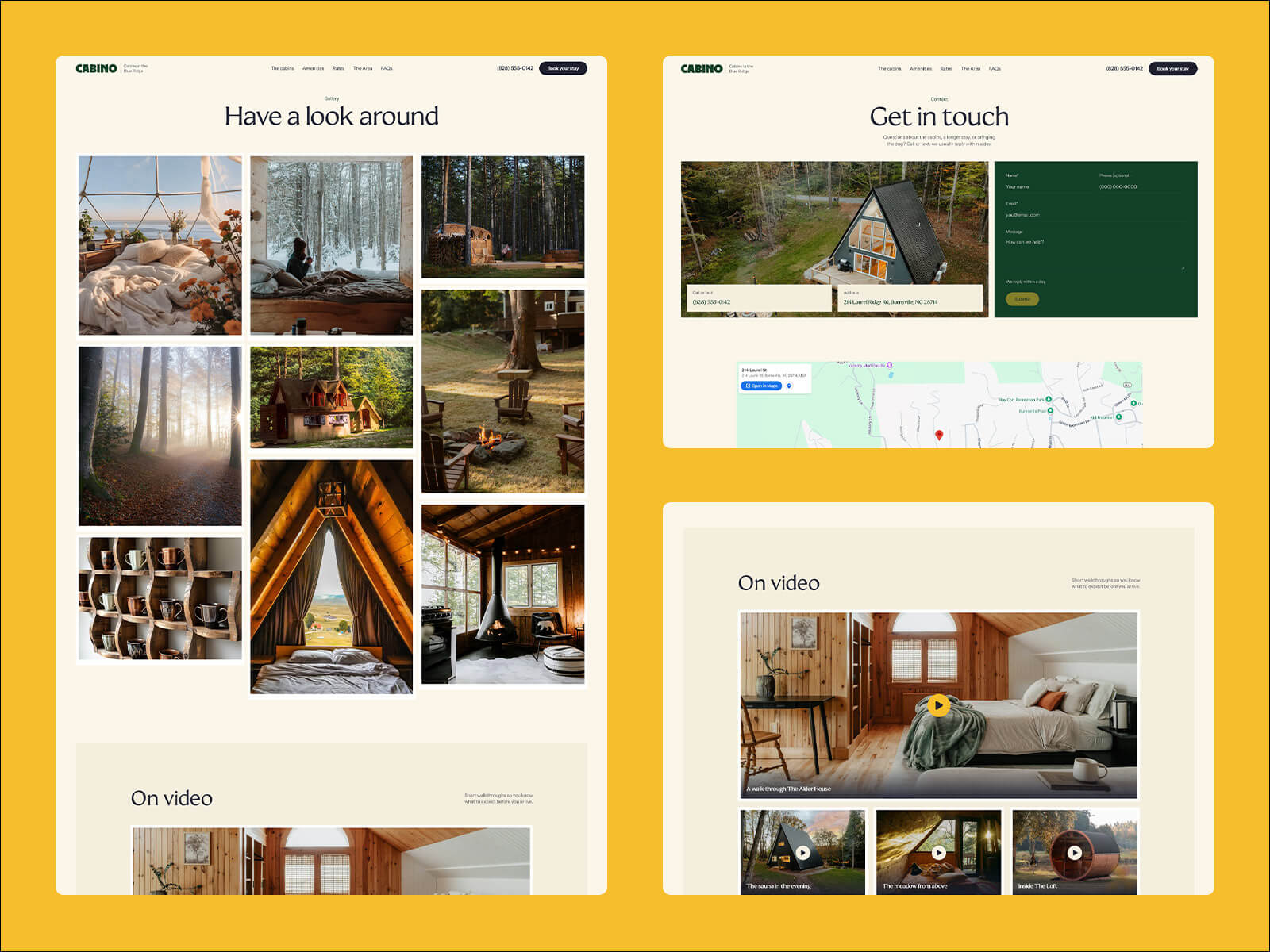
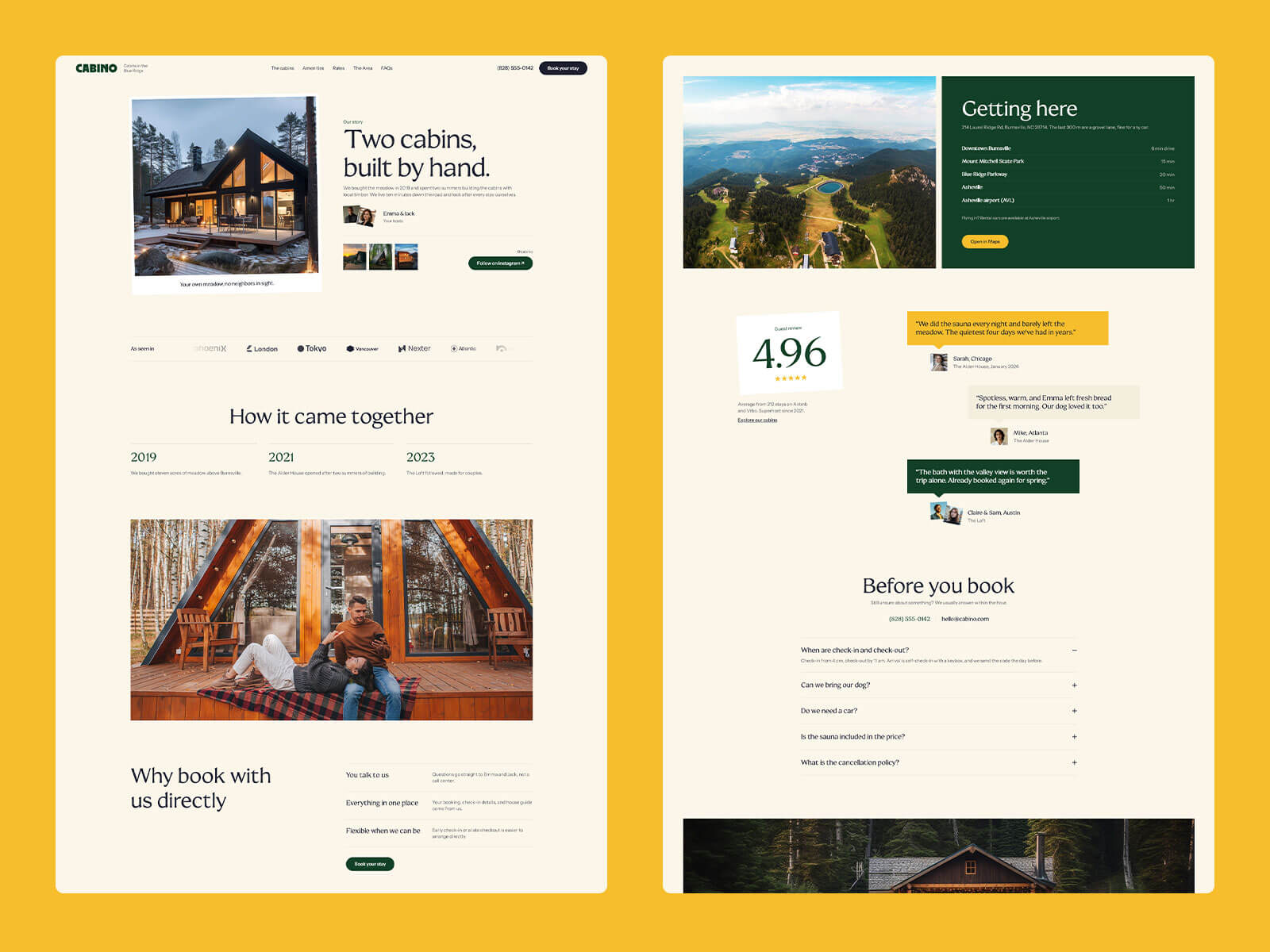
Cabino is a conversion-focused website template for cabin, villa and vacation home owners who rent directly, built in Framer. It includes trust badges, cabin pages, a gallery, local activities and booking buttons. You can edit and publish it without writing any code.
Guests want three things fast: great photos of the place, clear amenities and rates, and an easy way to book. Cabino puts all three on the homepage.
Cabino shows trust badges for Superhost status, ratings, rental permits and eco certifications near the top of the page. Guests feel confident booking directly with you.
Cabino includes CMS-powered cabin pages that show guest count, bedrooms, nightly price, amenities and house rules. It works for a single property or up to three.
A gallery and video section show the place before guests arrive. A timeline of day trips highlights local activities, so guests can picture their stay.
Cabino's booking buttons link to your booking page, Airbnb, Vrbo or a phone call. There's no booking tool to set up.
Cabino uses a warm, editorial design that feels calm and premium. It fits mountain cabins and lake houses as well as villas, beach cottages and glamping sites.
Cabino is built in Framer, a visual website builder. You click any text to change it, drag in your own images, and publish when you're ready. Cabino is built in Framer, which has built-in AI tools that rewrite text and add new sections and pages for you.
You can also update Cabino with Framer MCP. Connect Claude, ChatGPT or Cursor and ask it to replace content, add cabins or pages, write SEO titles, or update your brand colors. Nothing goes live until you review and publish.

You can create a vacation rental website without code by using the Cabino template in Framer. Open the template, replace the sample content with your own photos, amenities and rates, then connect your domain and publish. Everything is edited visually.
Yes. Cabino works with Framer MCP, so you can connect Claude, ChatGPT or Cursor and ask it to replace content, add cabins or pages, write SEO titles or update your brand colors. Nothing goes live until you review and publish.
Cabino's booking buttons link to your booking page, Airbnb, Vrbo or a phone call. There's no booking tool to set up.
Yes. Cabino's CMS-powered cabin pages work for a single property or up to three, each showing guest count, bedrooms, nightly price, amenities and house rules.
Yes. Cabino includes trust badges for Superhost status, ratings, rental permits and eco certifications to build guest confidence early.
You can start for free. To publish on your own domain, you'll need a paid plan, and this template includes 3 free months of Framer Pro. Start with Framer here.
Yes. Connect any domain you own in Framer's site settings.
Cabino is a website template for cabin, villa, and vacation home owners who rent directly. Show photos, amenities, rates, and house rules, with booking buttons that link to your booking page, Airbnb, or Vrbo. Built in Framer, no code needed.
Access every current Framer template + new releases